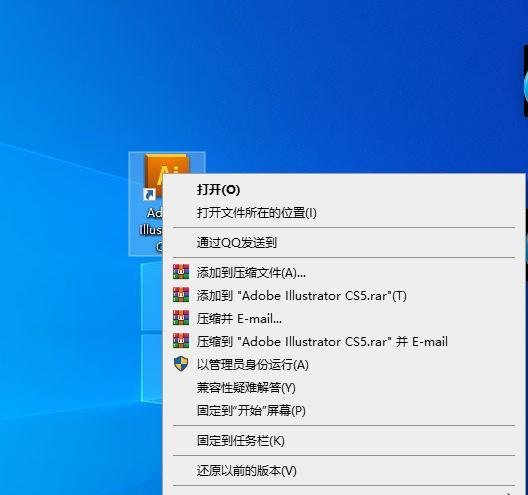
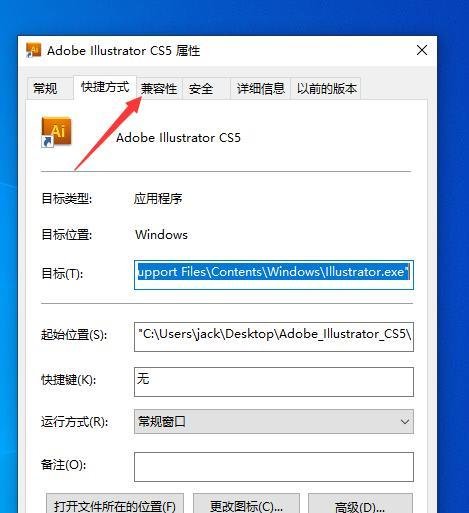
Adobe Illustrator CS软件不能运行,可通过调整兼容性设置或使用兼容性疑难解答来解决。以下是具体操作方法:
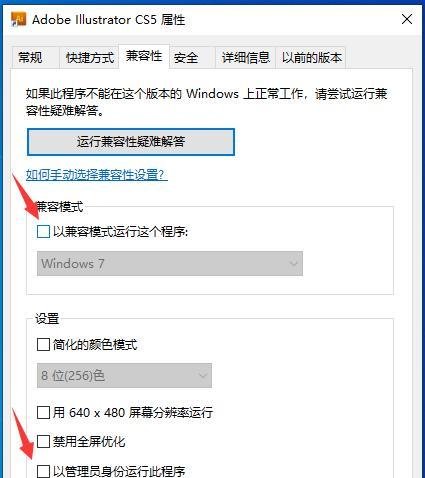
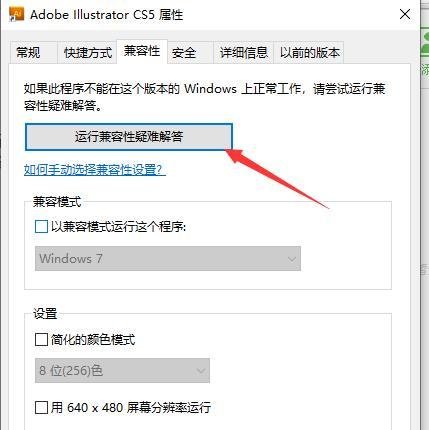
在兼容模式下方,勾选“以兼容模式运行这个程序”,默认选择“windows7”。
在设置下方,勾选“以管理员身份运行此程序”。
点击下方的确定按钮,使操作生效。

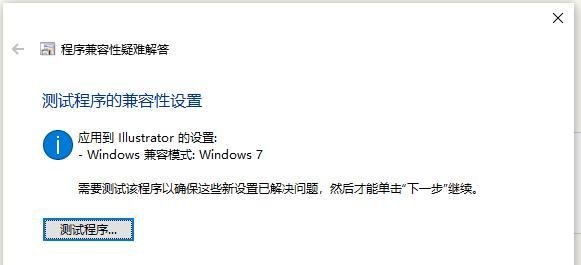
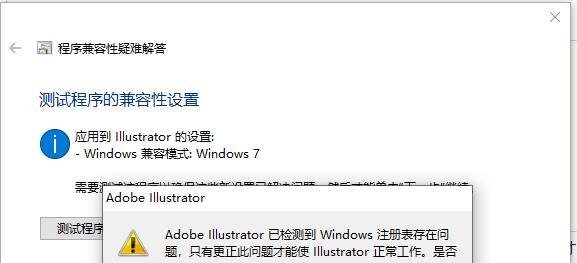
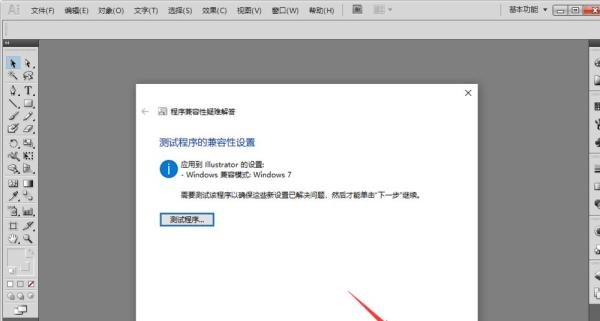
需要测试该程序以确定这些新设置已解决问题,然后才能单击“下一步”继续,点击“测试程序”。


注意事项:只要严格按照上面步骤操作,一般都能解决Adobe Illustrator软件不能打开的问题。

Adobe Illustrator CS软件不能运行,可通过调整兼容性设置或使用兼容性疑难解答来解决。以下是具体操作方法:
在兼容模式下方,勾选“以兼容模式运行这个程序”,默认选择“windows7”。
在设置下方,勾选“以管理员身份运行此程序”。
点击下方的确定按钮,使操作生效。
需要测试该程序以确定这些新设置已解决问题,然后才能单击“下一步”继续,点击“测试程序”。
注意事项:只要严格按照上面步骤操作,一般都能解决Adobe Illustrator软件不能打开的问题。